YOUR DRIVE, EXPLAINED
Orbit Breaker: the complete guide
Pilot a luminous spacecraft through drifting asteroids. Line up the flight gates, clear your path with plasma shots and build a clean-flight streak.
| At a glance | Game details |
|---|---|
| Goal | Survive the two-minute flight and earn points from gates, distance and cleared asteroids. |
| Session | 120 sec on High |
| Controls | Keyboard and touch |
| Saves | In this browser |
Controls & how to play
| Input | Action |
|---|---|
| WASD or arrow keys | Move across the flight corridor |
| Space / FIRE | Fire plasma bolts |
| Drag on the game | Steer the spacecraft on touch |
| P | Pause or resume |
| P / Pause | Pause or resume the active session |
Choose Low, Medium or High in the player. Low starts with calmer settings; High uses the base challenge described below. Changing difficulty starts a fresh run. Start and focus the canvas for keyboard controls; touch actions appear beneath it. You have three lives. A detected failure offers Continue, and Reset vehicle restores a safe position.
A flight with a destination
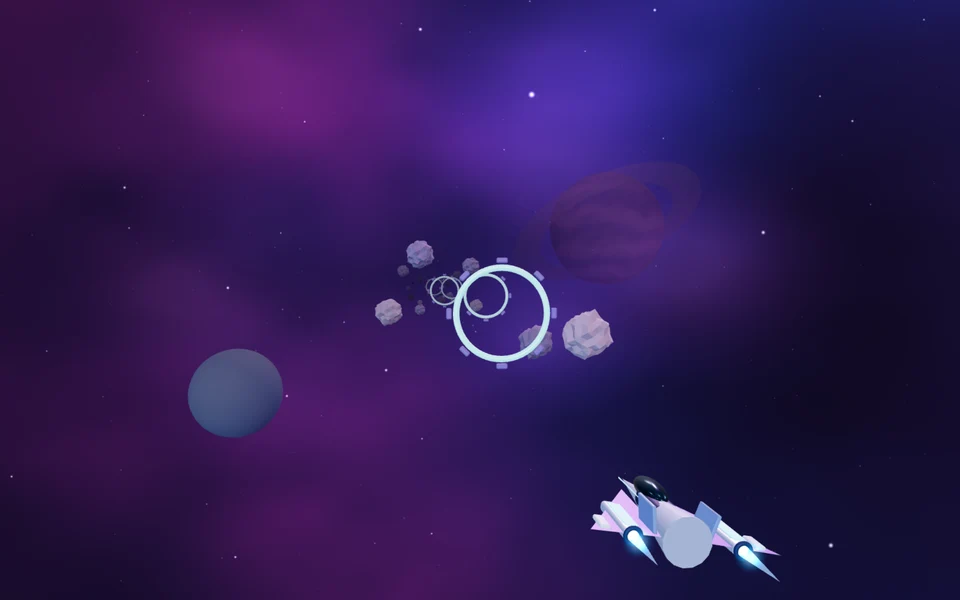
Orbit Breaker puts a small spacecraft in a deep violet star field. Asteroids and bright circular gates approach through the same corridor, so movement is a decision about the next few seconds. Passing through a gate earns points. Clearing an asteroid earns a smaller reward and opens up a route. Distance also contributes to your score, which means a patient surviving run can beat a reckless run that chases every object.
Learn the flight space
Use the arrow keys or WASD to move horizontally and vertically. Forward travel is automatic. On a touch screen, drag within the game to choose the ship's position and use FIRE to send plasma bolts forward. The ship can move across the corridor but cannot turn around or fly outside its boundaries. Three shields absorb impacts. There is a short period of protection after each hit, giving you time to move out of the collision instead of losing every shield to one rock.
Choose gates you can reach
A gate counts when your ship passes through its open centre. Move toward it while it is still far away; a sharp correction at the last second is easy to overshoot. Firing can clear an asteroid on the route, but plasma travels straight forward from your ship. It does not automatically follow a distant target. Keep the corridor around the ship clear before looking for the next gate. A missed gate has no extra penalty.
Build a repeatable flight
For an early attempt, stay near the middle and take only gates that lie close to your current position. On later runs, watch two gates ahead and decide which one needs a wider move. The High flight timer is two minutes; lower difficulty allows more time. Depleted shields use a life and offer Continue. The result lists your score and gate count, and a personal best is saved locally. Pause is available through the interface or P. Lowering the graphics setting reduces rendering work without changing movement or scoring.
Frequently asked questions
How do I move and fire?+
Forward flight is automatic. Use WASD or arrow keys to steer, and the displayed FIRE action to send plasma forward. Touch players drag within the scene and use the action button.
Can I continue after a failed attempt?+
You have three lives. Depleted shields open Continue while lives remain; choosing it restores protection. After the third failure, Play again starts a fresh flight. Reset returns to a safe position without refreshing.
Final words
Orbit Breaker rewards a measured attempt and a clear understanding of the current mission. Start with Low, practise one section at a time and use the reset control when you need a safe position. Watch what changed between attempts before adding more speed. The useful result is a technique you can repeat, with room to improve on the next run.