YOUR DRIVE, EXPLAINED
Velocity Coast: the complete guide
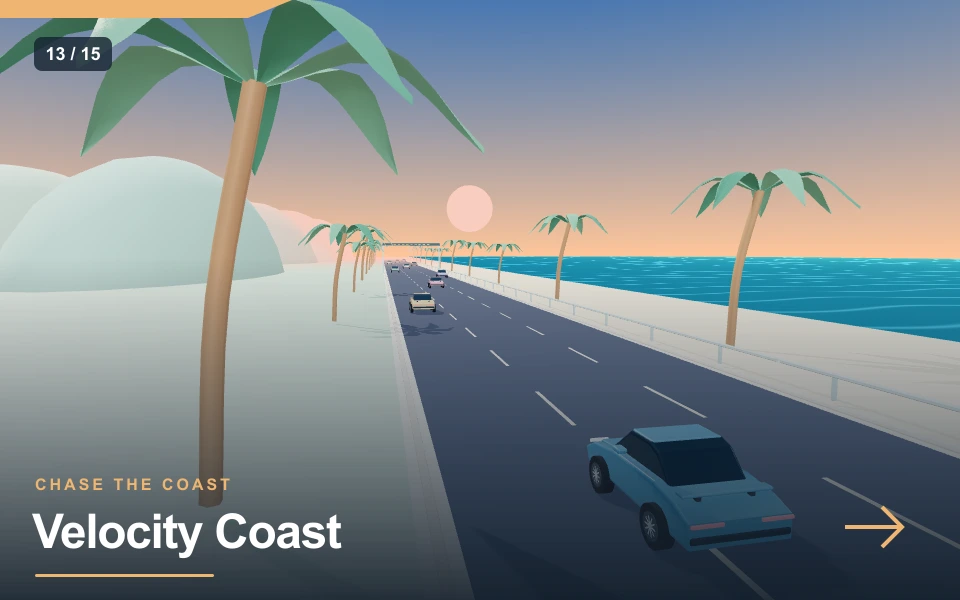
Velocity Coast is an original browser time trial built around short, repeatable runs. The road passes a warm shoreline and a skyline of rounded hills. You control a blue sports car from a following camera, so the distance to traffic is visible before you reach it. The objective is distance rather than a finishing position: there are no opponent rankings or online race results. Your best run stays on this device.
| At a glance | Game details |
|---|---|
| Goal | Cover the greatest distance before the difficulty-adjusted timer expires while protecting your three shields. |
| Limit | 90 seconds |
| Shields | Three |
| Special action | Regenerating boost |
| Result | Distance, including near-miss bonuses |
Controls & how to play
| Input | Action |
|---|---|
| A / D or ← / → | Steer smoothly left or right |
| W or ↑ | Accelerate |
| S or ↓ | Brake |
| Space / BOOST | Use your regenerating boost |
| Touch arrows | Steer; acceleration is automatic on touch |
| P / Pause | Pause or resume the active session |
Choose Low, Medium or High in the player. Low starts with calmer settings; High uses the base challenge described below. Changing difficulty starts a fresh run. Start and focus the canvas for keyboard controls; touch actions appear beneath it. You have three lives. A detected failure offers Continue, and Reset vehicle restores a safe position.
Your own stretch of coastline
Velocity Coast is an original browser time trial built around short, repeatable runs. The road passes a warm shoreline and a skyline of rounded hills. You control a blue sports car from a following camera, so the distance to traffic is visible before you reach it. The objective is distance rather than a finishing position: there are no opponent rankings or online race results. Your best run stays on this device.
How a run works
Start the engine and hold the accelerator on a keyboard. Touch players accelerate automatically and steer with the two buttons under the game. Traffic moves toward the camera as you gain on it. A clean close pass adds a near-miss distance bonus, but hitting a vehicle costs a shield and slows you down. Depleted shields use one life and offer Continue with restored protection. Three lives are available; Play again starts a fresh run after the last life. If you survive, the countdown ends the run after 90 seconds on High, with more time on lower difficulty, and shows the total distance, near misses and previous best.
Boost is a choice
Boost raises your speed while draining a small energy reserve. The reserve recovers when you release the boost button. It is tempting to use it as soon as it returns, but the useful moment is the one when there is room ahead. Braking before a crowded group often produces a longer run than boosting into it. There is no penalty for briefly lifting off the accelerator, and a smooth correction is easier to judge than swinging across the entire road.
A good first target
Spend your first run learning how far one steering input moves the car. Then try to finish the full countdown with a shield left. Once you can do that consistently, use a clear outside lane to test a short boost. The scenery is decorative: the traffic, road edges and shield display are the things to watch. Pause with P or the pause button at any time. Sound, fullscreen and restart are available beside the score, and changing tabs automatically pauses an active run.
A coastal practice routine
Start with a full countdown and no boost. Learn how a short directional input changes lane position. On the second attempt, choose one clear lane and add a short boost while watching the next two traffic cars. Release before entering a crowded group. Compare survival and near misses, rather than assuming that the most aggressive opening creates the longest final run. If a collision interrupts the attempt, use the next run to choose an earlier lane change at that encounter.
Sound, music and useful feedback
Engine audio follows the driving model, becoming brighter as speed rises. Sliding adds a separate tyre sound, while contacts and successful objectives use short cues. These sounds are composed procedurally for this collection; they are not recordings of a particular manufacturer or vehicle. Background music is a separate option, so you can keep engine feedback while silencing the melody. The volume slider controls the game audio output. Sound begins after your Play gesture because browsers often block audio that starts without interaction. If the page is audible but a cue seems quiet, check the game volume and your device output before restarting. Pausing stops the continuous driving and music layer. Visual mission feedback remains available when sound is muted.
Graphics quality and fullscreen setup
The scene uses real-time 3D geometry, smooth lighting, painted bodywork and a following camera. High graphics increases the drawing resolution on displays with a high device pixel ratio; Standard limits that work, and Light reduces the rendering load and shadows. Choose a setting while the player is open and compare steering responsiveness rather than judging only a still image. Fullscreen expands the scene to the available display and recalculates the canvas resolution. Native fullscreen depends on browser support. An immersive page mode is provided when that API is unavailable. The exit control stays inside the expanded player. High resolution cannot add detail beyond the models or guarantee a particular frame rate on every phone. Landscape orientation usually provides more room for the scene and touch controls.
Pause, recovery and fair comparisons
Use P or the player pause control when you need to look away. Changing tabs or switching to another window also pauses the session so an unattended car does not keep consuming the timer. Resume deliberately and look at the current heading before pressing the accelerator again. Restart begins a fresh attempt with a new timer and score. In the shared road modes, R recovers to the previous route checkpoint while elapsed time stays spent; it does not restore a damaged shield. Compare runs using the same graphics setting and input method when you are investigating a small improvement. A touch attempt and a keyboard attempt can both be enjoyable, but their control timing differs enough that one isolated result is not a reliable measurement of a technique.
Why distance, survival and boost work together
Every second of uninterrupted movement adds to the opportunity for a longer coastal run. A collision costs a shield and interrupts momentum, so a faster opening can still produce a shorter final result. Watch the next pair of traffic cars rather than steering only in response to the nearest bumper. If they leave different gaps, choose the lane that stays useful after the first pass.
A near miss is a reward for a clean close passage, not a reason to drive into another vehicle. Learn the steering response without boost, then add a brief burst on an open stretch. Releasing the burst lets its reserve recover. Braking before a tightly packed group can preserve both shields and later distance. The road run uses its own countdown result; it does not require Gap Runner’s separate pass target, city beacons or an ordered circuit lap.
For touch players, the original highway game accelerates automatically, so the key choice remains steering and boost timing. Use the pause button when reading a guide below the player. Your personal best is stored on this device and can be compared with later Velocity Coast attempts. It is not a verified online ranking. Once the full countdown is survivable, refine one traffic decision at a time and observe whether that change leaves more uninterrupted driving near the end.
Pros & cons
What works well
- A moving coastline and responsive sports car establish a clear sense of speed.
- Traffic, near misses and a regenerating boost support repeatable decisions.
- A ninety-second run fits a short break.
Practical limits
- There are no rival finishing positions or multiplayer races.
- Traffic is an arcade model rather than a public-road simulation.
- An aggressive boost can reduce survival instead of helping distance.
Choose your next challenge
The shared player makes it easy to switch games, but each mission asks for a different decision. Compare the objective rather than expecting one score to mean the same thing across every mode.
| Game | Objective | Session |
|---|---|---|
| Velocity Coast | Cover the greatest distance before the difficulty-adjusted timer expires while protecting your three shields. | 90 sec on High |
| Pursuit Breakout | Collect three access beacons, evade the pursuit cars and reach the unlocked exit. | 120 sec limit |
| Drift Harbour | Build controlled drift points for 90 seconds. Earn only while moving and sliding on the marked course. | 90 sec limit |
Frequently asked questions
How do I use boost well?+
Wait for an open lane, hold Space or BOOST briefly, and release before reaching a traffic group. Boost drains its reserve and recovers when unused. Near-miss bonuses can add distance, but a collision removes a shield and speed. A full surviving run is a better first target than a risky opening.
Is acceleration automatic on touch?+
Yes. Touch players steer and activate boost while the car accelerates automatically. Desktop players hold W or the up arrow and use S to brake. This differs from the new road modes, where touch players also have a GAS button. Read the controls for the current game rather than assuming every car uses an identical input scheme.
Where is the finish line?+
There is no fixed-distance finish line in this mode. High uses a ninety-second timer; lower difficulty allows more time. Losing all shields consumes a life and offers Continue with restored protection. The third failed attempt offers Play again. The result is total distance with near-miss bonuses. Choose Gap Runner if you prefer a stage finish and a required overtake count.
Do audio and fullscreen work?+
Engine feedback and original music start after Play. Sound, music and volume can be adjusted separately. Fullscreen resizes the canvas for the display; an immersive fallback covers browsers without the native API. High quality uses more drawing pixels, while Light is a practical choice for modest devices.
Can I keep my best run?+
The best distance is saved in this browser when local storage is available. Your favourites and recent games appear in My Library. These are device records with no account sync or public ranking; clearing browser data can remove them. Repeat a clean run to establish a useful baseline before chasing a new number.
Final words
Velocity Coast rewards a measured attempt and a clear understanding of the current mission. Start with Low, practise one section at a time and use the reset control when you need a safe position. Watch what changed between attempts before adding more speed. The useful result is a technique you can repeat, with room to improve on the next run.