YOUR DRIVE, EXPLAINED
Precision Parking: the complete guide
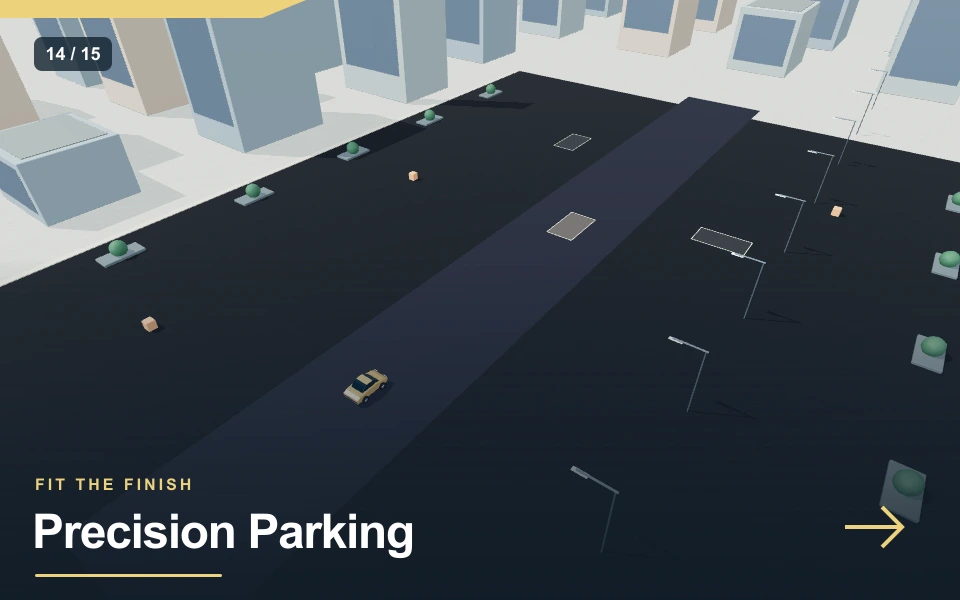
Precision Parking replaces speed with positioning. Three highlighted bays ask for different approaches and headings, and the car must stop inside each one long enough for the placement to count. The following view, bay lines and a gentle speed range make this a deliberate manoeuvring challenge. It is a browser exercise in spatial judgment, not a claim that completing it qualifies anyone to drive.
| At a glance | Game details |
|---|---|
| Objective | Park inside all three highlighted bays. Stop and hold a correct position and heading for two seconds. |
| Session limit | 180 seconds |
| Mode | parking |
| Result | Local personal best; no online ranking |
| Input | Keyboard and touch |
| Rendering | Real-time WebGL 3D |
Controls & how to play
| Input | Action |
|---|---|
| W / ↑ / GAS | Accelerate |
| S / ↓ / BRAKE / REV | Brake; keep holding when stopped to reverse |
| A / D or ← / → | Steer left or right |
| Space / HANDBRAKE | Reduce lateral grip for a slide |
| R | Recover to the last route checkpoint; time remains spent |
| C / VIEW (parking) | Toggle between following and overhead camera |
| P / Pause | Pause or resume the active session |
Choose Low, Medium or High in the player. Low starts with calmer settings; High uses the base challenge described below. Changing difficulty starts a fresh run. Start and focus the canvas for keyboard controls; touch actions appear beneath it. You have three lives. A detected failure offers Continue, and Reset vehicle restores a safe position.
Read the whole bay before entering
A parking space has a centre, a long axis and room for both ends of the vehicle. Approach slowly enough to inspect those features before crossing the lines. The first bay offers a relatively direct placement. Later bays change position or heading, so repeating the first steering sequence is not enough. Aim to get the car roughly parallel with the bay before making the final small move. Turning only after the front reaches the centre often leaves the rear outside the useful area. A short setup movement beside the space can save several corrections inside it. The overhead view is the default. Press C or VIEW to compare it with the following camera; the corner route map marks the active bay.
Stop both movement and rotation
The parking check is not simply a trigger under the car. It compares the car’s sideways position, lengthwise position and heading, then requires very low movement for a two-second settling period. If you roll out while waiting, that period restarts. Release steering once the car is square and use the brake to settle rather than continuing to hold the accelerator. The illuminated surface changes as the target advances. A completed bay stays part of the scene, but the next highlighted space becomes the active objective. Do not assume that stopping anywhere inside an already finished bay adds more points.
Use reverse for a setup correction
Holding the brake while travelling forward slows the car. Holding it after the car has settled begins reverse movement. That shared control lets you back away from an awkward approach without changing a gear menu. Watch the speed direction and make short inputs so that a correction does not become a long reverse run. Steering response follows the vehicle’s movement direction, so reverse manoeuvring behaves differently from forward entry. If a bay is beside rather than ahead of you, make space before turning across it. A calm two-step approach is preferable to driving through an obstacle to reach the centre quickly.
Know the difference from real parking
The Highway Code’s parking guidance discusses obstruction, marked spaces and checking surroundings. Those are useful concepts for understanding why the whole manoeuvre matters. This game does not implement pedestrians, mirrors, local parking restrictions or a licensing test. It checks its own three virtual bays and obstacles. Treat the source as background reading rather than a hidden list of game penalties. Within the mini game, keep the vehicle clear of parked objects and leave yourself an exit for corrections. A shield is a gameplay resource; it is not a substitute for avoiding contact when practising a cleaner attempt.
Position, heading and stillness work together
A bay is not complete just because the centre of the car briefly crosses its painted area. This player checks three things together: the position within the highlighted target, the direction the car faces, and whether it has nearly stopped. The settled condition must last two seconds. A small roll or last-minute steering correction can reset that hold. Let the vehicle become still before deciding that the objective has failed.
Approach each space in two stages. First establish a useful angle while there is room outside the target; then use short forward or reverse movements to centre the body. Repeated full steering presses near parked neighbours tend to make the nose swing through obstacles. Holding the brake after slowing forward travel starts reverse, so release it once the desired backing movement is complete. A three-point adjustment can be easier to judge than trying to solve the whole manoeuvre in one continuous curve.
When a space does not register, check heading before speed. A car can look approximately square in a perspective view while being angled enough to miss the tolerance. Straighten gently, stop, and wait for the hold. Reverse Garage adds an approach condition: a reverse movement must occur close to the current bay. The other parking games let you choose the approach direction. These checks are game objectives, not a qualification to park a real vehicle. The Highway Code sources provide useful background about observation, slow reversing and avoiding obstruction, while the exact target tolerances belong to this implementation.
A focused practice session
Enter the first bay slowly and stop without using the handbrake. If the placement does not count, change one thing: sideways position, lengthwise position or angle. Wait again after each correction. This reveals the requirement that needed attention instead of guessing with several inputs at once.
Sound, music and useful feedback
Engine audio follows the driving model, becoming brighter as speed rises. Sliding adds a separate tyre sound, while contacts and successful objectives use short cues. These sounds are composed procedurally for this collection; they are not recordings of a particular manufacturer or vehicle. Background music is a separate option, so you can keep engine feedback while silencing the melody. The volume slider controls the game audio output. Sound begins after your Play gesture because browsers often block audio that starts without interaction. If the page is audible but a cue seems quiet, check the game volume and your device output before restarting. Pausing stops the continuous driving and music layer. Visual mission feedback remains available when sound is muted.
Graphics quality and fullscreen setup
The scene uses real-time 3D geometry, smooth lighting, painted bodywork and a following camera. High graphics increases the drawing resolution on displays with a high device pixel ratio; Standard limits that work, and Light reduces the rendering load and shadows. Choose a setting while the player is open and compare steering responsiveness rather than judging only a still image. Fullscreen expands the scene to the available display and recalculates the canvas resolution. Native fullscreen depends on browser support. An immersive page mode is provided when that API is unavailable. The exit control stays inside the expanded player. High resolution cannot add detail beyond the models or guarantee a particular frame rate on every phone. Landscape orientation usually provides more room for the scene and touch controls.
Pause, recovery and fair comparisons
Use P or the player pause control when you need to look away. Changing tabs or switching to another window also pauses the session so an unattended car does not keep consuming the timer. Resume deliberately and look at the current heading before pressing the accelerator again. Restart begins a fresh attempt with a new timer and score. In the shared road modes, R recovers to the previous route checkpoint while elapsed time stays spent; it does not restore a damaged shield. Compare runs using the same graphics setting and input method when you are investigating a small improvement. A touch attempt and a keyboard attempt can both be enjoyable, but their control timing differs enough that one isolated result is not a reliable measurement of a technique.
Pros & cons
What works well
- Bay placement checks heading and a stable stop rather than a touch alone.
- Three targets require different setup routes.
- Low-speed controls make deliberate corrections possible.
Practical limits
- The camera does not reproduce a real car’s mirror visibility.
- The timer continues while you plan or correct a manoeuvre.
- The game is not a driving-test or road-rule certification tool.
Choose your next challenge
The shared player makes it easy to switch games, but each mission asks for a different decision. Compare the objective rather than expecting one score to mean the same thing across every mode.
| Game | Objective | Session |
|---|---|---|
| Precision Parking | Park inside all three highlighted bays. Stop and hold a correct position and heading for two seconds. | 180 sec limit |
| Cargo Balance | Carry three loose crates through a winding harbour route and stop at the delivery pad. | 180 sec limit |
| Skywire Drive | Cross a three-metre ribbon road forty floors above the city, then stop on the final roof. | 180 sec limit |
Frequently asked questions
What completes this game?+
Park inside all three highlighted bays. Stop and hold a correct position and heading for two seconds. The highlighted route or target identifies the current task. The result checks these conditions, rather than assuming that any high score means the mission is complete. Use an early attempt to learn the sequence before trying to improve your time.
Does it work on a phone?+
Yes. Touch buttons allow simultaneous steering, acceleration and braking; the final action button matches the keyboard action. Landscape gives the player more space. Start on Standard or Light if High makes steering feel delayed. Device speed and browser WebGL support still determine how smoothly the scene runs.
Is this a real vehicle simulator?+
It is an original arcade driving challenge with a simplified motion model. Its scenery and vehicle shapes establish the setting, while the actual mission rules are described above. It does not reproduce every road law, mechanical system or motorsport regulation, and it is intended for entertainment rather than real driving instruction.
Can I pause or change audio?+
Yes. P and the pause control stop the active attempt; sound, music and volume have separate controls. Audio begins after Play. Use fullscreen for more scene space and the graphics selector to balance clarity against rendering speed. The expanded player keeps an exit control available.
How do similar games differ?+
Reverse Garage asks you to reverse into three garage bays. enter each target while reversing, straighten the car and settle for two seconds. Parallel Perfect asks you to fit into three curbside spaces between parked cars. finish square with the bay without losing your shields. These are separate tasks, so choose the one that matches the skill you want to practise.
Final words
Precision Parking rewards a measured attempt and a clear understanding of the current mission. Start with Low, practise one section at a time and use the reset control when you need a safe position. Watch what changed between attempts before adding more speed. The useful result is a technique you can repeat, with room to improve on the next run.