A difficulty menu is useful only when you know what you want it to change. Sometimes a player needs a wider landing; sometimes they need more time to understand the controls. Sometimes the machine is drawing the scene unevenly and the answer is a graphics adjustment. These situations can all feel like a game being too hard, but they ask for different decisions. This article uses the GameRig vehicle collection to build a simple approach: choose a manageable condition, identify one skill, and increase the challenge after that skill becomes repeatable. Skywire Drive provides a particularly clear example because a small steering error has an immediately visible consequence.
Difficulty is a tool: Start with a useful question
Before starting a run, decide what you are trying to learn. Crossing the first straight part of Skywire Drive asks for steady steering. Getting through a turning pad asks for speed control and knowing when to release the direction. Completing the whole route adds attention and consistency. If you treat those as one enormous task, every failed run can look equally discouraging. Separating them makes the difficulty setting much easier to choose.
Ask whether you can see the next target, understand the relevant button and recover from a mistake. If any answer is no, choose a calmer setting and spend the next attempt on that particular issue. A harder timer does not teach an unknown control more efficiently. Nor does a wider road automatically teach a player where to turn. The setting creates useful room to practise; you still need a clear question for the practice to answer.
Low is a starting point: Make room for observation
Low is the default in this edition, so a new visitor does not have to prove anything before finding a game enjoyable. New physical challenges receive more time, and relevant tracks or landing surfaces become more forgiving. Moving hazards are calmer. That combination gives you room to watch what the world is doing while learning how your inputs change the vehicle.
Use that room deliberately. On a narrow route, release the accelerator before a bend and look at how much space remains. On a moving-platform course, wait for a full sideways cycle before taking a jump. In a pursuit, examine the possible routes before committing to a beacon. Low should turn a confusing failure into an observation you can use. When you can predict what will happen before pressing a button, the setting has already done something valuable.
Medium tests consistency: Keep the technique familiar
Moving to Medium works best when your successful action is already recognisable. Perhaps you brake at the start of a turning pad, release the steering as the car lines up, then accelerate into the next segment. That is a technique you can carry forward. Hoping that the next run will happen to work is not yet a technique.
At the new setting, keep the same control method and the same immediate objective. Try the first bend again before making a full-course attempt. The time or geometry may give you less room, so you may need an earlier brake or a smaller correction. Notice which part actually changed. If the first straight remains easy but one turn becomes unreliable, practise that turn rather than restarting your entire learning process. Medium can reveal whether the earlier success depended on a repeatable decision or generous spare space.
High changes the conditions: Compare decisions honestly
High uses the tightest course settings and the original challenge timing. It is useful when you want a more demanding version of the same idea. It should not be treated as the only legitimate way to play. A careful Low run can be more useful practice than a series of unexplained High failures.
Difficulty also affects how you interpret results. A completed mission under different time allowances or target sizes is not the same test. Keep the setting in mind when comparing attempts, and focus on decisions such as how early you slowed or how cleanly you held a line. Current best records are local records; they are not a global skill ranking. You can use them as reminders of enjoyable sessions while keeping your own practice notes more precise than a single number.
Make failure informative: Use the next life well
Three lives give a run room to contain learning. When a failure is detected, read the reason before pressing Continue. A missed landing can mean too little momentum, too much jump charge, poor alignment or an attempt taken at the wrong part of a platform cycle. Those possibilities need different corrections. Immediately repeating the same input often repeats the same result.
Checkpoint recovery is particularly useful because it narrows the question. You can return to a supported position and try the difficult section again while completed objectives remain part of the run. Voluntary Reset vehicle is there for an awkward position. It is preferable to treating a browser refresh as your normal game control. After the final life, begin a fresh run with one chosen correction instead of carrying a vague feeling that everything was wrong.
End with a decision: A short session can be enough
A useful practice session does not need to last until you are exhausted. Pick one segment, make an initial attempt, change one action and compare the result. If you can explain which action left more room, you have a result worth keeping. That remains true even if you have not finished the whole mission.
Finish by deciding what the next attempt should test. You might stay on Low and practise earlier braking, move to Medium with the same line, or change to a different game that isolates the skill you need. Precision Parking can help with a settled stop; Bike Trials makes small launch decisions visible; Cargo Balance rewards calm direction changes. Choosing the next useful task is more productive than treating difficulty as a ladder that must always be climbed immediately.
Choose your pace: Difficulty and recovery
Start Skywire Drive on Low while you learn its objective: Cross a three-metre ribbon road forty floors above the city, then stop on the final roof. Low is the default in this edition. For the new physical challenges it gives a larger time allowance and calmer handling; applicable courses also have wider landing surfaces or slower moving hazards. Medium sits between that assistance and the High challenge. The setting changes gameplay, while Graphics controls drawing quality. Keeping those decisions separate helps you answer the right question: is the task unfamiliar, or is the device struggling to draw it smoothly?
Each run begins with three lives. A detected failure uses one life and offers Continue from a safe checkpoint. The new vehicle challenges preserve completed objectives within the run; cargo recovery reloads the boxes, pursuit recovery restores shields, and bike recovery returns to a supported part of the course. After the last life, Play again starts a fresh run without reloading the page. Reset vehicle is also available for an awkward position. A voluntary reset does not need to become a repeated page refresh.
Changing difficulty starts a fresh run, because the layout and timing need to agree with the chosen setting. Your saved preference belongs to this browser and this game. Treat a comparison between Low and High as two different practice conditions, rather than evidence that the same score means the same performance. For a fair experiment, keep the difficulty, control method and starting checkpoint consistent. Increase the challenge after you can explain the action that reliably worked, instead of using a harder setting to compensate for a technique you have not yet understood.
First straight: Separate speed from steering
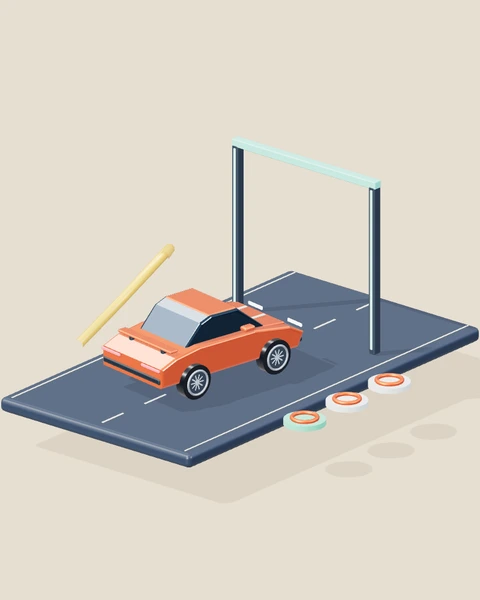
The car begins on a supported roof before the narrow route. The first straight gives you a clean view of alignment. Use Low and accelerate briefly, then release the throttle while making one small direction input. Avoid holding two corrections at once.
Watch whether the car returns to the centre or crosses it. The amount of sideways movement matters more than maximum speed. If you cross the centre, shorten the next correction. Keep the approach speed unchanged so the comparison still answers the steering question.
Turning pad: Buy room before the corner
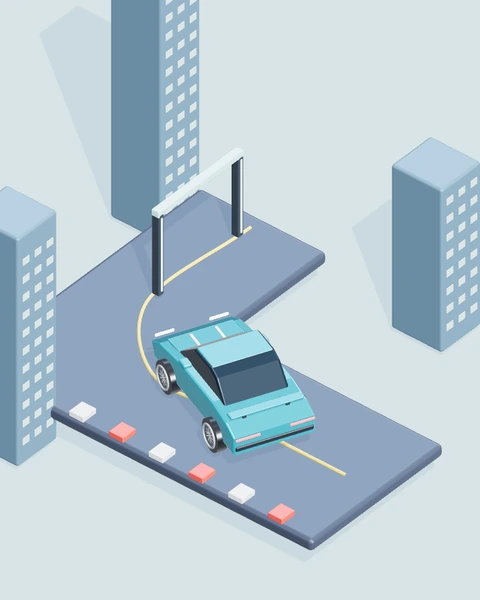
A turning pad offers more space than the ribbon between it and the next pad. Entering it quickly makes that space disappear. Brake before the direction change, turn at the lower pace, and release steering as the nose points into the following segment.
A cleaner exit should require fewer emergency corrections. Notice whether you can see the next line before accelerating again. Keep the earlier brake if it makes the exit repeatable. Moving to Medium is reasonable after this sequence works more than once.
Moving target: Read a whole cycle
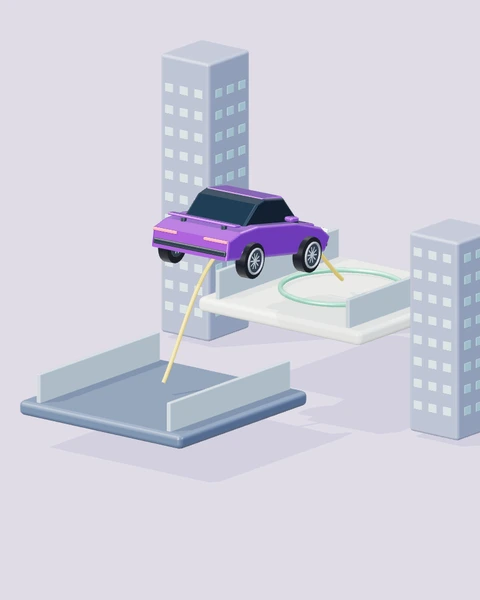
Kinetic Crossing asks you to land on surfaces that slide sideways. A target near the middle may already be moving away from your launch line. Observe one complete cycle on Low. Choose a launch point in the cycle, then make two attempts from the same starting position.
The useful comparison is where the target was when you landed, not only where it was when you began charging. If it moves away too early, change your launch timing before changing charge and steering. Otherwise several variables hide the cause.
Keyboard and touch: Allow a new learning period
The same mission feels different when direction and action buttons are arranged under your fingers rather than on a keyboard. Keep Low selected when first switching devices. Practise a simple stop or hop before comparing a complete run with your desktop result.
Look for a missed simultaneous input, a button released too late, or a finger covering the part of the scene you need. Adjust your grip and button timing first. A new control arrangement does not automatically mean your previous technique has stopped working.
Graphics or difficulty: Change the right setting
A scene that draws unevenly can make timing uncertain even when its objective is familiar. Difficulty does not control rendering work. Keep the game on the same difficulty and switch Graphics to Light. Repeat the same easy segment with other busy tabs closed.
If the picture becomes steadier, you have evidence of a rendering issue. If it stays smooth but the target is missed, examine technique. Use the lower graphics option when it helps response. Choose a different difficulty only when you want a different gameplay condition.
Decisions at a glance
| Situation | First decision | What to observe |
|---|---|---|
| First straight · Separate speed from steering | Use Low and accelerate briefly, then release the throttle while making one small direction input. Avoid holding two corrections at once. | Watch whether the car returns to the centre or crosses it. The amount of sideways movement matters more than maximum speed. |
| Turning pad · Buy room before the corner | Brake before the direction change, turn at the lower pace, and release steering as the nose points into the following segment. | A cleaner exit should require fewer emergency corrections. Notice whether you can see the next line before accelerating again. |
| Moving target · Read a whole cycle | Observe one complete cycle on Low. Choose a launch point in the cycle, then make two attempts from the same starting position. | The useful comparison is where the target was when you landed, not only where it was when you began charging. |
| Keyboard and touch · Allow a new learning period | Keep Low selected when first switching devices. Practise a simple stop or hop before comparing a complete run with your desktop result. | Look for a missed simultaneous input, a button released too late, or a finger covering the part of the scene you need. |
| Graphics or difficulty · Change the right setting | Keep the game on the same difficulty and switch Graphics to Light. Repeat the same easy segment with other busy tabs closed. | If the picture becomes steadier, you have evidence of a rendering issue. If it stays smooth but the target is missed, examine technique. |
YOUR NEXT SESSION
Put it into practice
Spend one session on the first Skywire turning pad. Begin on Low, take the straight slowly and brake before the pad. Repeat with a slightly earlier brake while keeping steering similar. Choose whichever attempt gave a clearer exit. Then try that sequence on Medium once. Note whether the difficulty change affected the approach, turn or final alignment. End the session with one sentence describing the decision you want to carry into the next run.
Play Skywire DriveFrequently asked questions
Which game should I use for this practice?+
Use Skywire Drive first: Cross a three-metre ribbon road forty floors above the city, then stop on the final roof. The article's examples are organised around its actual objective, rather than a generic racing score. Start with one exercise and a consistent difficulty, then try a related game when you can explain what changes between the two tasks.
Can I practise on a phone?+
The player provides touch controls beneath the scene, including the action buttons needed by Skywire Drive. Use two comfortable fingers when actions must overlap. A keyboard offers a different physical arrangement, so allow a few attempts to learn the mobile timing instead of expecting identical finger movements. Keep the browser controls out of the way with fullscreen when that is more comfortable.
What should I do after a failure?+
Use Continue while lives remain. Read the visible reason first, because a missed landing, lost cargo or depleted shields asks for a different correction. After three lives, start a fresh run with Play again. Reset vehicle can recover an awkward position without refreshing the entire page. The browser retains preferences and available local records when storage is allowed.
Does the exercise promise a particular result?+
No. These are repeatable practice comparisons, not a guaranteed score or a real-world driving qualification. Timing, starting position and control method affect the result. Look for a reliable change in your decisions before treating a single good attempt as mastery. The game guide remains the place to check the complete mission rules and controls.
Final words
Difficulty is most useful when it gives a specific skill enough room to become understandable. Start with observation, build one repeatable action, and use a harder setting to test that action under tighter conditions. You can keep enjoying Low, switch between challenges or return to a simpler exercise whenever that serves your session. The productive question is what you can do more deliberately next time.
Choose one idea from this article, try it in your next run, and notice what changes. A calmer, repeatable attempt gives you something useful to build on.