Reverse parking feels complicated when you try to solve alignment, direction and stopping at the same time. Precision Parking offers a more useful way to practise: prepare a position, move slowly into the marked bay and finish with the car settled. The scene is a stylised browser challenge, not a real driving lesson, but the game makes the difference between passing near a target and stopping in it clear. This article explains a small-input sequence for a reverse approach, including when to stop, reassess the line and use recovery instead of letting repeated corrections become a source of confusion.
Identify the bay: Know what the stop should satisfy
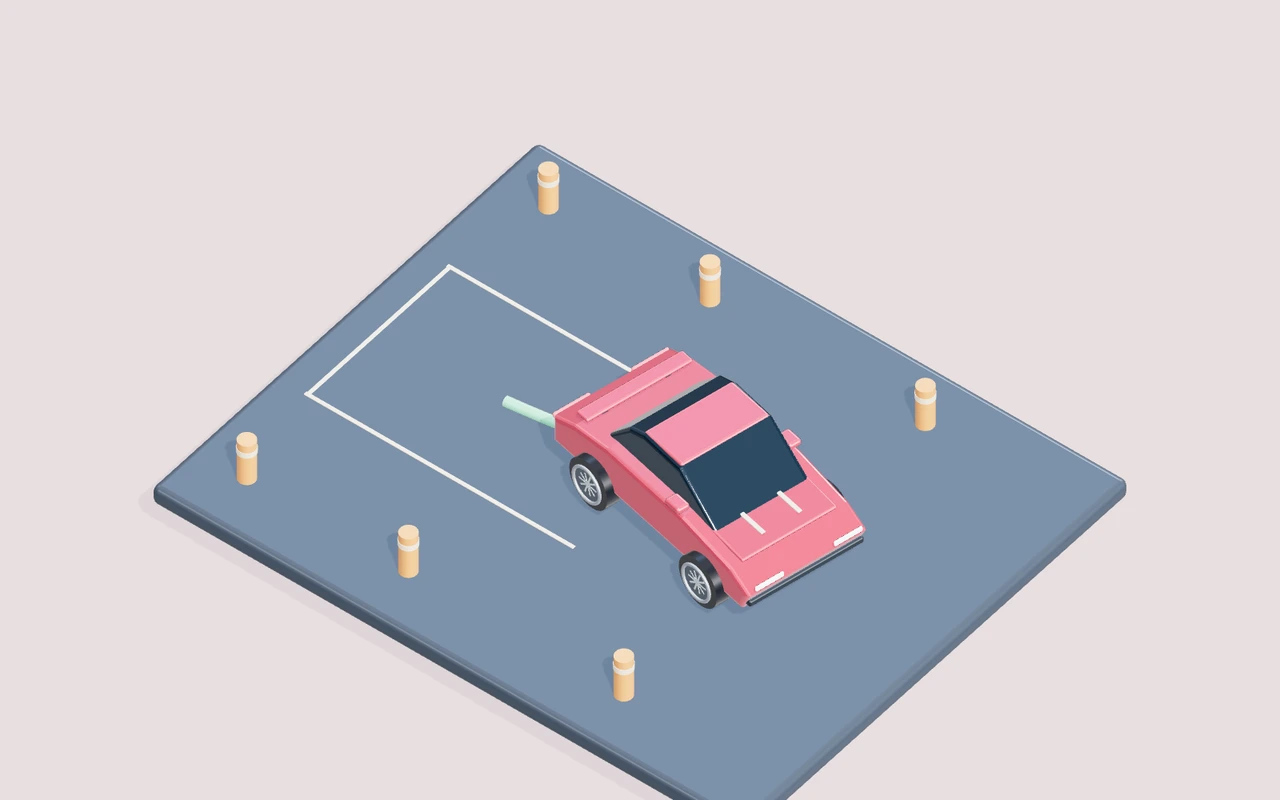
Before moving, read the marked parking area and its orientation. The useful target is a settled car in the appropriate place, not merely a vehicle that passes across a coloured rectangle. Look at the line you want the car to have when the attempt finishes, then compare it with the starting heading.
That comparison shows whether you need to reposition before reversing. A bay that lies behind the car is not necessarily aligned with its current direction. If you begin backing immediately, the car can reach the target while still crossing it diagonally. Use the overview and the visible boundaries to prepare a simple approach. You do not need to infer a real-world mirror technique from the browser camera. Follow the game’s actual controls and the readable bay, and leave enough supported space to make small changes before the final stop.
Prepare reverse deliberately: Brake is part of the sequence
The brake/reverse input first reduces forward movement. Reverse becomes useful after the car has slowed enough to move back in a controlled way. Holding the button while the vehicle is still travelling forward can feel different from the reverse movement you expected, because the input is answering the earlier motion first.
Separate the actions during practice. Let the car settle, then begin a measured reverse movement and observe its direction. Keep steering small enough that you can see what changed. If you hold several inputs throughout the whole attempt, it becomes difficult to tell whether the vehicle was slowing, backing or still rotating. A deliberate pause between preparation and reverse gives the scene time to make those actions clear. That is especially useful when moving between a keyboard and touch buttons with a different physical arrangement.
Correct the line in stages: Stop before the next guess
A parking error does not always require a full restart. If the car remains supported and there is room to reposition, stop and inspect the heading before adding another correction. Repeatedly alternating directions while moving can create a larger arc than the one you originally wanted to fix.
Make one small change, release and check the result. If you are still approaching diagonally, decide whether the next movement should adjust the heading or restore a better starting position outside the bay. Those are different tasks. Moving deeper into the rectangle while hoping alignment will improve can reduce the room available for either. Treat a calm reposition as part of the attempt rather than as an embarrassing failure. The goal is a understandable settled position, so a slower sequence with clear stages is more useful than a rushed arrival followed by uncertain button presses.
Finish without another input: Let the stop count
Reaching the correct area is not the same as completing a settled parking condition. The car still needs to stop with an appropriate alignment. If you continue steering or moving because you expect an instant result, you can disturb a promising final position before the challenge recognises it.
Once the bay and heading look right, reduce movement and let the car settle. Watch the visible progress or result rather than immediately beginning another adjustment. If the finish does not register, inspect location, direction and remaining motion separately. Do not assume every uncounted stop means the game needs a refresh. The reset control can restore a safe position, while a fresh run restores the original opening. Use those actions when needed, but first give a well-prepared final position a chance to become a readable stop.
The vehicle reaches the bay diagonally
Your reverse movement brings the car into the marked area, but its heading crosses the bay instead of following the intended parking line. You keep backing because the position looks close to complete. Stop before using more of the bay. Compare the heading with the target orientation and choose a small reposition outside or within the available space. Keep movement slow enough to observe the change.
Watch whether the next approach improves alignment before reaching the final area. A car near the right location but at the wrong angle gives a different problem from one aligned correctly but still outside the target. Repeat the clearer approach rather than pushing farther into the bay. Preparing orientation earlier leaves room for the final stop and prevents location from becoming the only thing you notice during an incomplete parking attempt.
The reverse input initially feels unresponsive
You press brake/reverse while the car still has forward movement. It slows, but does not immediately travel back as expected. You add steering and hold the input longer to force the desired manoeuvre. Let the vehicle settle before judging reverse. Begin a short backing movement from that calmer state, then release and inspect the path. Keep steering out of the first comparison so direction is easier to read.
Notice the transition from reducing forward movement to travelling backward. The same button participates in both actions, and a cleaner starting state makes the reverse response more understandable. Once backing is clear, add the small steering preparation needed for the bay. Avoid treating an earlier braking stage as a reason to keep several controls held throughout the entire manoeuvre.
Alternating corrections uses all the available space
A first steering correction seems too large, so you immediately hold the opposite direction while continuing to reverse. The vehicle moves across the target and the next correction begins from an even less useful position. Stop after one measured correction. Look at the resulting heading and location before deciding on another. If the current position leaves little room, recover or begin a clearer approach instead of extending the same uncertain arc.
Compare the number of unplanned direction reversals with the previous attempt. Fewer, more readable corrections can leave the car easier to place even if the total manoeuvre takes longer. Keep the correction that you can explain. Add the next stage only after the vehicle is settled enough to show its effect. A parking sequence should contain decisions, not a continuous struggle to cancel the last input.
The stop looks right but is not counted
The car appears inside the bay, yet the result has not arrived. You immediately nudge the vehicle again, changing its position while trying to discover whether the game noticed the earlier attempt. Allow a settled pause and inspect the target orientation. Confirm that the vehicle is no longer travelling before adding another correction. Watch the current condition rather than assuming proximity is the only requirement.
Notice whether location, alignment or motion is the unresolved part. A still car at the wrong heading needs a different adjustment from one that is correctly aligned but continues creeping beyond the desired stop. Use reset if the position becomes awkward, without refreshing the page. On the next approach, prepare the final direction earlier and leave a clear moment for the settled condition to register.
Keep the experiment useful: Controls, recovery and setup
Before trying the exercise, confirm the current mission in Precision Parking: Park inside all three highlighted bays. Stop and hold a correct position and heading for two seconds. The player’s controls table is the reference for the actual actions available. W / ↑ / GAS means accelerate. S / ↓ / BRAKE / REV means brake; keep holding when stopped to reverse. A / D or ← / → means steer left or right. Start and focus the canvas before using the keyboard. On a phone, use the labelled touch actions under the scene. Change one input at a time while learning the response; unfamiliar finger placement can otherwise look like an unexplained change in the game’s handling.
Difficulty and Graphics answer different questions. Low creates a calmer learning condition by changing the relevant mission settings; Medium removes some assistance; High uses the base challenge. Changing difficulty begins a fresh run, so choose it before comparing attempts. Graphics changes the rendered scene: Low reduces resolution and disables sunlight shadows, Medium adds shadows, and High increases sharpness, shadow detail and material reflections. A clearer picture can help you read the scene, but it does not replace the movement decision described in this article. Keep difficulty fixed while testing a technique.
Three lives give a run room to continue after detected failure. Read the reason on the Continue panel and choose one correction before recovering. Continue restores a safe position while completed mission objectives remain where the mode supports them. Reset vehicle can recover an awkward position without refreshing the page or spending a life. Recovery does not mean a completely fresh mission: choose Start a new run when you want the original opening. A paused panel stops the active simulation, and a voluntary reset adds no time penalty.
Use the pause control if you need to read, change hand position or look away. Sound and background music have separate controls and begin after an interaction; they are optional feedback rather than prerequisites for understanding the visible target. Fullscreen gives the scene more room, with an expanded-player fallback where the native API is unavailable. If your experiment is about steering or timing, keep the browser, input arrangement and graphics profile consistent. A score from one isolated attempt tells you less than a decision that leaves the vehicle well positioned in several attempts.
Decisions at a glance
| Situation | Useful action | Evidence to watch |
|---|---|---|
| The vehicle reaches the bay diagonally | Stop before using more of the bay. Compare the heading with the target orientation and choose a small reposition outside or within the available space. Keep movement slow enough to observe the change. | Watch whether the next approach improves alignment before reaching the final area. A car near the right location but at the wrong angle gives a different problem from one aligned correctly but still outside the target. |
| The reverse input initially feels unresponsive | Let the vehicle settle before judging reverse. Begin a short backing movement from that calmer state, then release and inspect the path. Keep steering out of the first comparison so direction is easier to read. | Notice the transition from reducing forward movement to travelling backward. The same button participates in both actions, and a cleaner starting state makes the reverse response more understandable. |
| Alternating corrections uses all the available space | Stop after one measured correction. Look at the resulting heading and location before deciding on another. If the current position leaves little room, recover or begin a clearer approach instead of extending the same uncertain arc. | Compare the number of unplanned direction reversals with the previous attempt. Fewer, more readable corrections can leave the car easier to place even if the total manoeuvre takes longer. |
| The stop looks right but is not counted | Allow a settled pause and inspect the target orientation. Confirm that the vehicle is no longer travelling before adding another correction. Watch the current condition rather than assuming proximity is the only requirement. | Notice whether location, alignment or motion is the unresolved part. A still car at the wrong heading needs a different adjustment from one that is correctly aligned but continues creeping beyond the desired stop. |
YOUR NEXT SESSION
Put it into practice
Read the bay orientation before starting. Make one approach that separates preparation, a short reverse movement and the final stop. After the first attempt, choose one issue: location, heading or remaining motion. Repeat with only that issue changed. If reverse itself is confusing, practise a short straight backing movement from a settled position before adding steering. Finish by letting a promising parking position remain still while you watch the result. Compare how understandable the sequence feels, not only how quickly the car reached the coloured area.
Play Precision ParkingFrequently asked questions
Does touching the parking area complete the game?+
The challenge expects a settled position with the appropriate alignment. Passing over the marked area while moving or crossing it diagonally may be incomplete. Read the current target and let a promising final position settle before immediately nudging the vehicle again.
Why does brake/reverse slow the car before backing?+
The input first deals with existing forward movement. Reverse is easier to understand from a near-settled state. During practice, slow deliberately, then begin a short backing movement and observe it before combining that movement with a larger steering adjustment.
Is this guidance for parking a real car?+
No. It describes the controls, camera and target conditions of a stylised browser game. The simulator has simplified movement and does not reproduce the observation, safety procedures or handling requirements of a real vehicle. Use it as an entertainment and game-control exercise.
Final words
A reverse parking attempt becomes clearer when you prepare the line, back in measured stages and leave time for the final stop. Stop before guessing at another correction. Use the bay orientation and the car’s motion as separate pieces of evidence.
Choose one idea from this article, try it in your next run, and notice what changes. A calmer, repeatable attempt gives you something useful to build on.